Group Members window
Purpose
Use this window to add employees to or remove employees from a group.
To access this window
On the Employee/Group Administration window, click Members.
Diagram
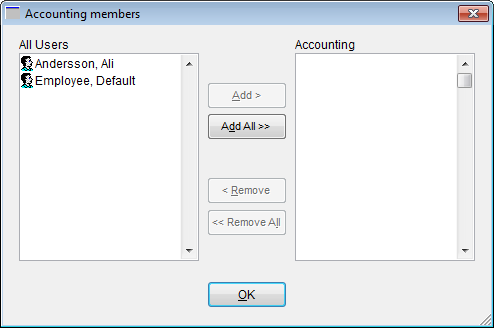
The following thumbnail illustrates the Group Members window. Click it to view a full-size image.
Item descriptions
 Fields and boxes
| Item | Description |
|---|---|
| All Users grid | Lists all active AIMsi users. |
| Members grid | Lists all active AIMsi users currently included in this group. |
Buttons
| Item | Description |
|---|---|
| Add | Adds the highlighted user (in the All Users grid) to the group. |
| Add All | Adds all active users (in the All Users grid) to the group. |
| Remove | Removes the highlighted user (in the Members grid) from the group. |
| Remove All | Removes all users (in the Members grid) from the group. |
| Save | Saves any changes you've made to the group members. This button only displays if you've added or removed members from the group. |
| Cancel |
Cancels any changes you've made to the group members. This button only displays if you've added or removed members from the group. |